
Simple, Step-by-Step Tutorials for Everyday Tasks
AI Made Practical
Step-by-step tutorials for AI tools and everyday tech
Learn tools like ChatGPT, MidJourney, Canva AI, Notion AI, and more to save time and work smarter.
Browse AI & Tech Categories
Choose a category and explore step-by-step tutorials for your most-used tools, from AI apps and design platforms to productivity and automation.
Must-See AI & Tech Guides
Start with these popular guides to learn how to use AI tools for tasks, from writing and design to automation and everyday workflows.
ChatGPT: Create Effective Prompts
Learn how to write prompts that get precise, useful answers from ChatGPT — for writing, research, and automation.
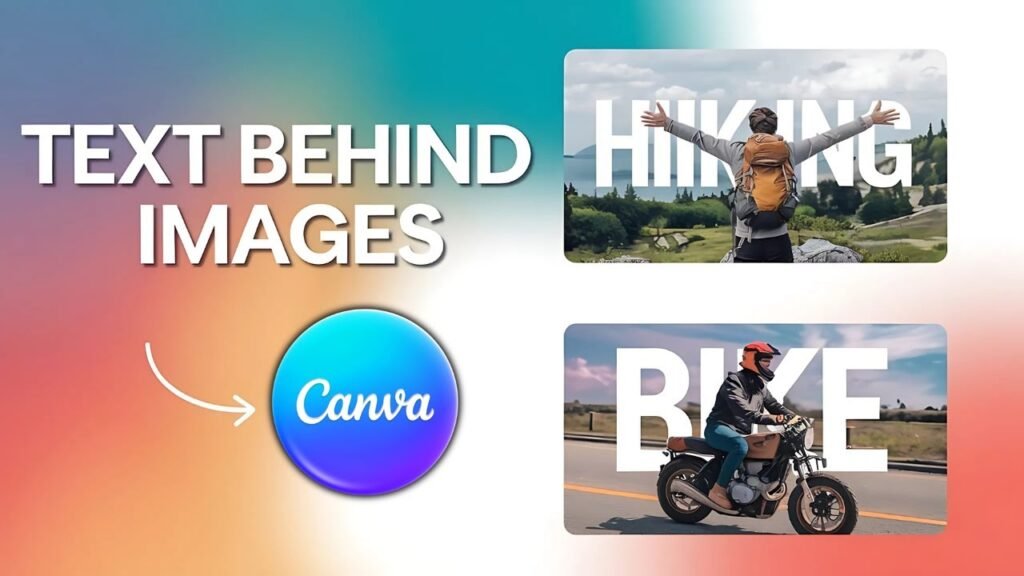
How to Create Text Behind a Person in Canva
A step-by-step guide to using Canva’s AI background remover to place text behind a subject for stunning visuals.
MidJourney: Generate Realistic Images
Discover the exact prompt structure and settings to generate photorealistic images with MidJourney in minutes.
Compare AI Tools
Not sure which AI tool to use? This quick comparison breaks down the most popular options so you can choose the right one for your needs.
| Tool | Best For | Pricing |
|---|---|---|
| ChatGPT | Writing, automation | Free + Paid |
| MidJourney | Image generation | Paid |
| Canva AI | Design | Free + Paid |
| Notion AI | Productivity | Free + Paid |
Popular AI Resources
Unlock the full potential of AI with our comprehensive step-by-step guides and tutorials to help you fix issues and master the latest technologies. Explore our popular AI resources and turn your knowledge into action today!
ChatGPT Tutorials
Prompts, automation, and real-world workflows explained step by step.
Canva AI Tutorials
Design smarter with AI-powered features inside Canva.
MidJourney Tutorials
Master AI image generation with prompt guides and style tips.
Notion AI Tutorials
Organize your work and write faster using Notion’s built-in AI.
AI Questions Answered
Have questions about AI tools or how they work? These quick answers cover the most common questions, so you can understand the basics and get results faster.
Do I need to pay for AI tools?
Most AI tools like ChatGPT, Canva AI, and Notion AI offer free tiers with core features. Paid plans unlock higher usage limits, advanced models, and premium outputs.
Which AI tool is best for beginners?
ChatGPT is the easiest starting point — just type a question and get an answer. Canva AI is great if you want to create visuals without design experience.
Can I use AI for business or personal use?
Yes — all major AI tools support both personal and business use. Check each tool’s terms of service for commercial licensing details.
Stay Ahead with AI
Explore tutorials or search what you need — new guides added every week.