
Simple, Step-by-Step Tutorials for Everyday Tasks
Video Editing Tutorials — Find Your Fix Fast
Step-by-step guides for CapCut, Premiere Pro, DaVinci Resolve, InShot, Descript, and more. From quick fixes to advanced workflows — find exactly what you need.
Browse by Software
Pick your editing tool and jump straight into the tutorials that matter most to you.
🎬 CapCut
Effects, templates, text animations, mobile editing
🎞 Premiere Pro
Timelines, audio sync, pro workflows, exports
🎨 DaVinci Resolve
Color grading, Fusion effects, advanced editing
🤖 Descript
AI editing, transcription, auto-captions, overdub
What Do You Need Help With?
Find tutorials by the exact problem you’re trying to solve — no searching required.
💬 Captions & Subtitles
Auto-captions, styled text, animated subtitles.
🎨 Color Grading
LUTs, color wheels, cinematic looks, skin tones.
🔊 Audio Fixes
Noise removal, sync issues, voiceover, music.
📤 Exports & Formats
Best settings for YouTube, TikTok, Instagram.
Featured Guides Worth Bookmarking
High-impact tutorials selected for beginners and creators who want real results fast.
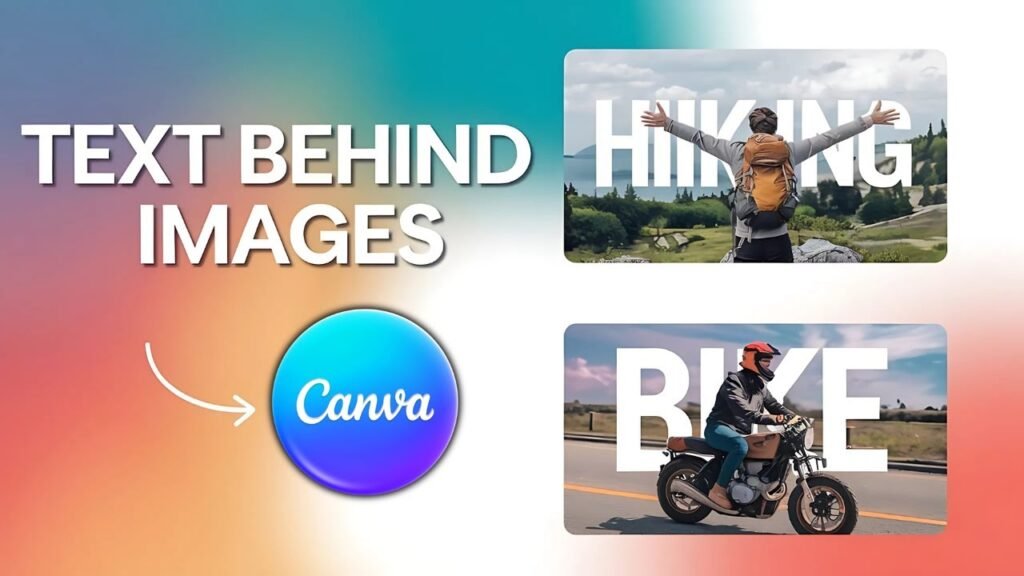
CapCut: Text Behind Subject Effect
Make your text appear behind people or objects for a cinematic, professional look — no green screen needed.
Premiere Pro: Fix Audio Sync Issues
Audio drifting out of sync is one of the most frustrating editing problems. This guide fixes it in under 5 minutes.
DaVinci Resolve: Beginner Color Grading
Get a cinematic look on your first try. This beginner guide walks you through the Color page step by step.
Compare Editing Software at a Glance
Not sure which tool is right for you? Use this quick comparison to decide before you dive in.
| Tool | Best For | Platform | Price | Skill Level |
|---|---|---|---|---|
| 🎬 CapCut | Short-form, social content | Mobile + Desktop | Free | Beginner |
| 🎞 Premiere Pro | Professional video production | Desktop | Paid (subscription) | Intermediate–Pro |
| 🎨 DaVinci Resolve | Color grading, film editing | Desktop | Free + Paid Studio | Intermediate–Pro |
| 📱 InShot | Quick mobile edits | Mobile | Free + Paid | Beginner |
| 🤖 Descript | AI editing, podcasts, captions | Desktop + Web | Free + Paid | Beginner–Intermediate |
Where Should You Start?
Your starting point depends on your goal and experience. Here’s a simple path for every level.
🟢 Complete Beginner
Start with CapCut. It’s free, mobile-friendly, and designed for fast results. Learn basic cuts, captions, and exports first.
🔵 Some Experience
Move to Premiere Pro. Learn timelines, keyframes, audio mixing, and how to export for different platforms.
🟣 Advanced Creator
DaVinci Resolve is your tool. Master color grading, Fusion effects, noise reduction, and professional delivery workflows.
Prefer to Watch Instead?
Many of our tutorials include full video walkthroughs. Follow along visually at your own pace — no reading required.
Frequently Asked Questions
Quick answers to the questions editors ask most often.
What’s the best free video editing software for beginners?
CapCut is the top pick for most beginners — it’s free, available on mobile and desktop, and has a huge library of templates and effects. DaVinci Resolve is also free and excellent if you want to grow into a more professional tool.
Do I need a powerful computer to edit videos?
For basic editing with CapCut or InShot on mobile, almost any modern phone works fine. For Premiere Pro or DaVinci Resolve, a mid-range computer with at least 16GB RAM and a dedicated GPU will give you a smooth experience.
Can I switch from CapCut to Premiere Pro later?
Absolutely. Many creators start with CapCut to learn the basics, then move to Premiere Pro when they need more control. The core concepts — cuts, transitions, audio, exports — transfer directly.
How do I add captions automatically to my videos?
CapCut and Descript both offer AI-powered auto-captions that are fast and accurate. In CapCut, use the ‘Auto Captions’ feature under the Text menu. In Descript, your transcript is generated automatically when you import your video.
Everything You Need, Organized in One Place
🎯 Problem-First Structure
Every section is built around what you’re trying to fix or learn — not just a list of random articles.
⚡ Fast, Practical Answers
No fluff, no filler. Each guide gets straight to the fix so you can get back to editing in minutes.
🔄 Regularly Updated
Editing tools update constantly. Our guides are kept current so the steps you follow actually match what you see on screen.
Ready to Edit Smarter?
Pick your software, find your fix, and start creating better videos today. Every answer you need is already here.