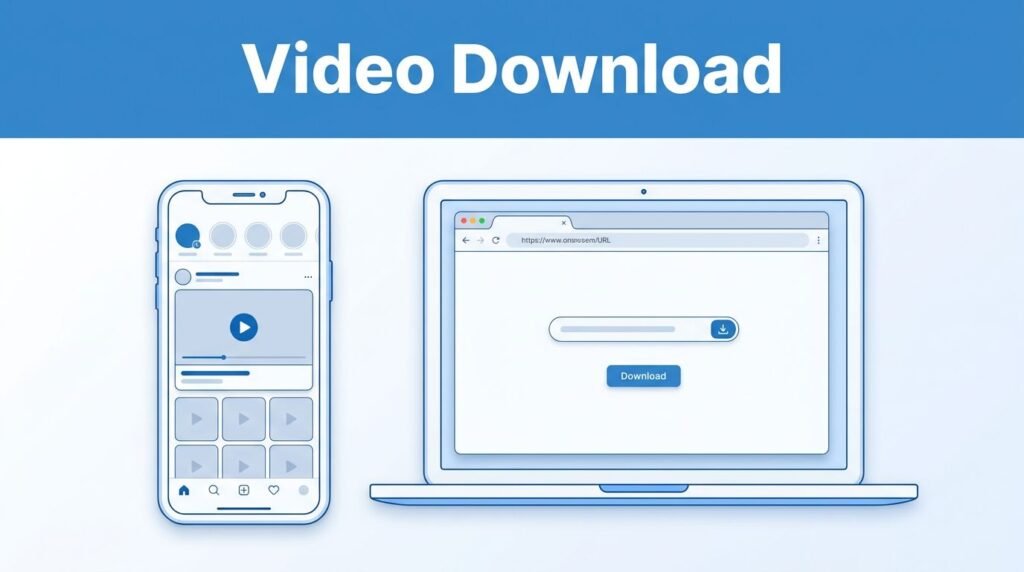
If you’re trying to figure out how to download video from Pinterest, the good news is that it’s quick once you know the path. Pinterest doesn’t give you a built-in download button for every video, so the usual fix is to copy the pin link and use a browser-based Pinterest video downloader.
This works whether you want a Pinterest video download on your phone or on a computer. The only part that really changes is where the file ends up after you save it.
What to know before you start
You don’t need much to do this, but a couple of small details matter. First, make sure you have a stable internet connection. If the page stalls halfway through processing, it can look like the Pinterest download video method failed when it really just timed out.
You can do this from the Pinterest app or from pinterest.com in a browser. So if you’re looking for how to download video from Pinterest app or how to download video from Pinterest website, the basic flow is the same. Find the video, open it, copy the link, then paste that link into a downloader site.
The important part is grabbing the right pin. If you’re still trying to find or open the post you want, this guide on how to see pins on Pinterest can help you get to the full pin view first. That matters because copying the link from the actual video pin is usually more reliable than copying from a crowded feed view.
You also want a downloader you trust. If a site floods you with pop-ups, strange redirects, or permission requests that don’t make sense, leave it. When people search for how to download video from Pinterest free or how to download video from Pinterest online, this browser method is usually what they mean, but the site you pick still matters.
How to download Pinterest videos step by step
Once you’ve got the pin open, the process is short.
- Open the Pinterest app, or go to Pinterest in your browser, and find the video you want to save. This works if you’re trying to download one video or if you regularly download Pinterest videos for offline viewing.
- Tap the video so it opens in full screen. This step is easy to skip, but it helps you copy the correct video pin instead of a feed preview or surrounding page.
- Tap the three-dot icon in the top-right corner of the screen. In most versions of the app or site, that’s where the extra options live.
- Choose Copy link. That copied link is the video pin’s web address, and it’s what the Pinterest video downloader reads.
- Open your browser and go to the Pinterest video downloader website you’re using. If you’ve been searching for how to download video from Pinterest link or how to download video from Pinterest online, this is the step that makes it work.
- Paste the copied link into the site’s search box, then tap or click Download. After that, wait a few seconds while the site processes the video.
- When the quality options appear, pick the one you want. If the site offers HD, choose that if you want a cleaner Pinterest video download HD file.
- Tap Download again to save the file to your device. That second tap is the final confirmation, and it’s the part people miss when they think the site didn’t finish.
That’s the whole Pinterest download video flow. Whether you call it a Pinterest video downloader online, a way to save video from Pinterest, or a quick Pinterest video download, the pattern stays the same: copy the link, paste it, wait, pick a quality, save.
Where your saved file goes on iPhone, Android, and PC
After the download finishes, the next question is usually, “Okay, where did it go?” Here’s the short version.
If you’re wondering how to download video from Pinterest on iPhone, or how to download videos from Pinterest on iPhone, the main difference is the save location. In many cases, iOS puts the file in the Files app. Open Files, check Downloads, and look there first.
On Android, a Pinterest video download usually lands in your gallery or your phone’s downloads folder. That’s why people often search for how to download video from Pinterest on Android, how to download videos from Pinterest on Android, or how to download video from Pinterest to gallery. In a lot of cases, it does go straight there.
If you’re saving from a computer, your browser will usually place the file in your standard Downloads folder. Once it’s saved, you can watch it without internet, move it to another folder, or share it like any other video file stored on your device.
When the Pinterest video downloader doesn’t work
Most problems come down to the link. If the downloader says it can’t find the video, go back to Pinterest and copy the link again after opening the video full screen.
If the site doesn’t detect the file, the first thing to retry is the Copy link step from the full-screen video, not from the feed preview.
Another common issue is impatience during processing. Some tools take a few seconds before the quality options appear. If you tap around too fast or reload too soon, it can look broken when the site is still working.
You can also run into trouble if the pin is restricted, private, or not loading correctly on Pinterest itself. In that case, refresh Pinterest first, reopen the video, and try the process again. If your phone asks for permission to save files, allow it, or the download may not finish.
Storage space matters too. If your iPhone or Android phone is full, the save can fail without a clear warning. Keeping the Pinterest app and your browser updated also helps, since menu labels and browser behavior can shift over time.
If you’d rather use a Pinterest video downloader app instead of a browser tool, Android users can compare options like Video Downloader for Pinterest on Google Play. But if you don’t want another install, the browser method is still the cleaner route.
One last thing, use saved videos responsibly. Downloading for personal, offline viewing is one thing. Reposting someone else’s content without permission is another.
Prefer Visual Help? Watch the Step-by-Step Video Guide!
Struggling with How to Download Video from Pinterest? Don’t worry—this video breaks it down step by step with clear, hands-on instructions. If you want the only working method that actually gets results, this video is for you!
Watch TutorialThe part that matters most
If you want to know how to download a video from Pinterest, the step that matters most is copying the correct pin link from the full-screen video. Once you do that, the rest is mostly waiting for the site to process the file and choosing the quality you want.
After that, check the right folder on your device, Files on iPhone, Gallery or Downloads on Android, or Downloads on your PC. Once you’ve done it once, downloading Pinterest videos feels a lot less confusing.
Frequently Asked Questions
Here are a few common questions people ask when downloading videos from Pinterest on phone or PC.
Want To Learn How to Download High Quality Images From Pinterest? Here’s a step-by-step guide on how to do so.