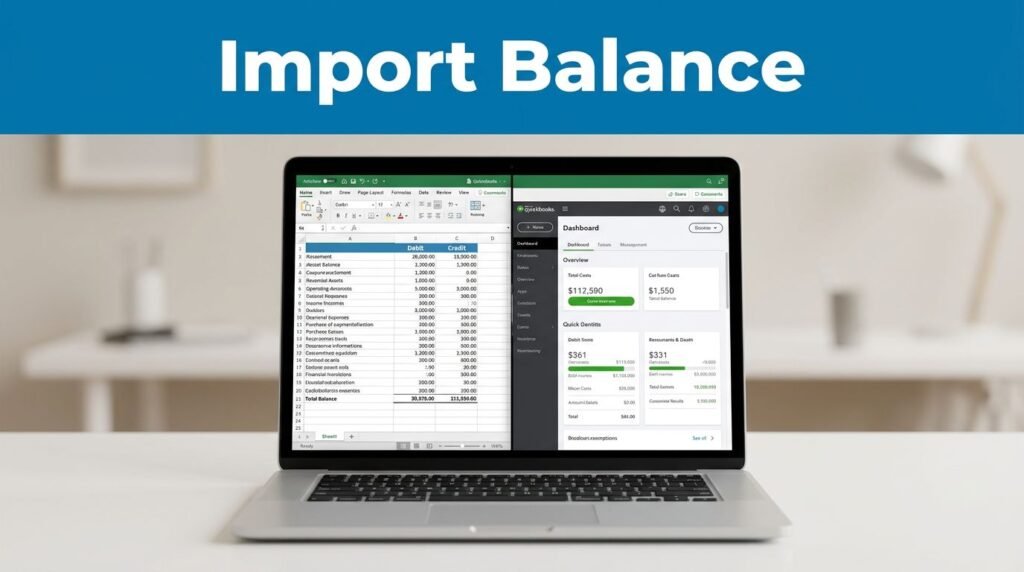
If you need to import a trial balance in QuickBooks Online, you have two practical options: enter it by hand as a journal entry, or use an app that pulls from Excel or Google Sheets. If you’re moving over from QuickBooks Desktop, Enterprise, or Premier, this is the step that makes the rest of your books line up.
Start with the file, because that’s what makes the import easy or painful.
Before you import your trial balance into QuickBooks Online
If you’ve wondered what a trial balance in QuickBooks is, it’s the list of accounts and their debit or credit balances at a point in time. After the move, you want the trial balance on QuickBooks to match your source numbers line for line.
Get your spreadsheet clean before you touch QBO. Keep separate debit and credit columns, make sure total debits equal total credits, and match your account names to the Chart of Accounts in QuickBooks Online. A mismatched name is one of the fastest ways to turn a simple import into cleanup work.
If you’re starting with a QuickBooks export trial balance, or coming from QuickBooks Desktop, keep the original file untouched. That way, if your trial balance QuickBooks Desktop layout needs cleanup for QBO, you still have a clean version to compare against. If you also have a QuickBooks trial balance detail report, save that too.
This is the real choice you need to make:
Small file, manual entry. Bigger file, app.
If you use class tracking, keep that report handy too. A QuickBooks trial balance by class, or a QuickBooks Online trial balance by class, gives you one more way to confirm the import didn’t shift anything you care about.
Method 1: Enter it as a journal entry
This is the cleanest option when you only have a short list of balances. For a small QBO trial balance, typing it in can be faster than wrestling with templates and column mapping.
Open QuickBooks Online and click New in the top-left corner. Under Other, choose Journal entry. That takes you to the screen where you’ll key in the trial balance manually.
Here are the main fields you’ll work with:
- Account
- Debits
- Credits
- Description
- Name
- Journal number
- Date
Enter one line for each account. If your trial balance quickbooks online setup has more rows than the form shows at first, add more lines. If you mess up and want a clean start, use the option to clear all lines and begin again.
You can also add a memo, attach a file, cancel the entry, or turn it into a recurring template. That recurring option is useful if you’re posting something repeated, though for most opening balance work, it’s a one-time entry.
If you only have a handful of accounts, manual entry is usually the faster move.
Before you save, give the debits and credits one last look. A journal entry that doesn’t balance won’t help your trial balance in QuickBooks, and fixing it after the fact is harder than catching it now.
Method 2: Use an import app for larger files
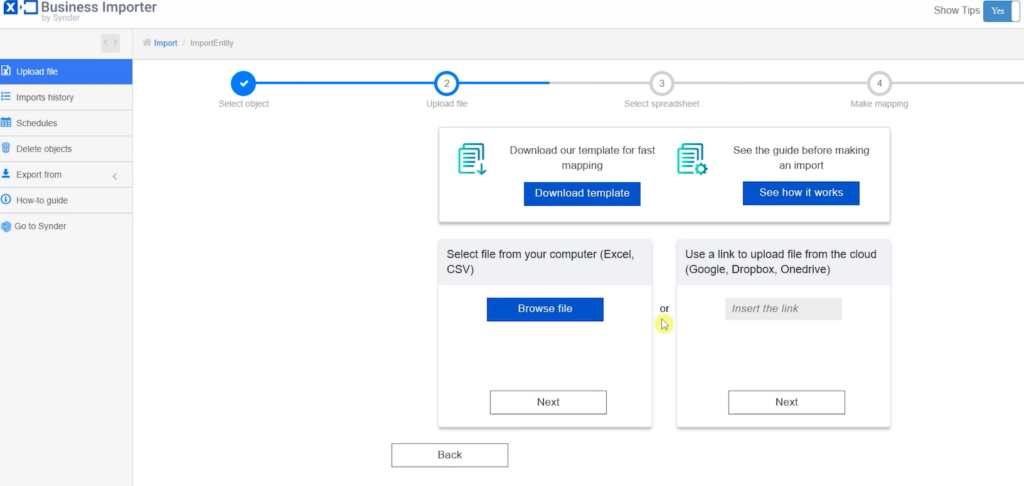
If you don’t want to type every line of a trial balance in QBO, use an app. This is the better route when your file lives in Excel or Google Sheets, or when your trial balance QBO import has too many rows to enter comfortably by hand.
In QuickBooks Online, click the icon in the top-right area and open Find Apps. Search for “import”. You’ll usually see options like Bulk Import Export Excel and Import Excel, Google Sheets, plus other import tools.
Pick the app you want, click Get App Now, then approve the connection. After that, you’ll land inside the app and connect it to your QuickBooks account. From there, choose the transaction or list type the app asks for, click Next, and upload your file.
The next part matters most: mapping. This is where you tell the app which spreadsheet column is the account name, which is debit, which is credit, and so on. If the app gets the map wrong, your trial balance in QuickBooks Online will be wrong even if the file itself is fine.
Menus and labels can vary a bit by account and region. Intuit’s community note on uploading a trial balance points out that direct import options can differ, which is why the app route is often the practical one.
One small gotcha, A/R and A/P lines can need extra detail. Transaction Pro’s trial balance import notes call out that entries posting to Accounts Receivable or Accounts Payable may need a customer or vendor name already in the company file. If one app doesn’t fit your file well, try another. That part is normal.
Check the QuickBooks Online trial balance after the import
Once the numbers are in, don’t trust the import until the report matches your source. Open Reports, search for Trial Balance, and compare it to the file you started with. That’s how you get a trial balance from QuickBooks after the import, and it’s also how to run a trial balance in QuickBooks.
If you’re trying to figure out how to get a trial balance in QuickBooks, how to generate trial balance in QuickBooks, how to run a trial balance in QuickBooks, or how to pull trial balance in QuickBooks Online, this is the report you want. The same screen is where you can print it, so that’s also how to print trial balance in QuickBooks Online.
The QuickBooks trial balance report, the QuickBooks Online trial balance report, and the QBO trial balance report all answer the same question: did the import land correctly? When you open the trial balance report in QuickBooks, total debits and total credits should match your original file.
If you review reports by class, compare that version too. A quickbooks trial balance by class or quickbooks online trial balance by class can catch issues that a standard report misses.
When something looks off, check these first:
- Account names don’t match your QBO chart of accounts
- Debit and credit columns were mapped backward
- The spreadsheet has blank headers or unsupported formatting
If the imported balances start throwing off reconciliations later, use this guide on how to fix reconciliation errors in QuickBooks.
Prefer Visual Help? Watch the Step-by-Step Video Guide!
Struggling with How to Import Trial Balance into QuickBooks Online? Don’t worry—this video breaks it down step by step with clear, hands-on instructions. If you want the only working method that actually gets results, this video is for you!
▶ Watch TutorialFinal thoughts
Importing a trial balance into QuickBooks Online isn’t hard. The part that trips people up is the setup, not the button you click.
If the file is small, the journal entry route works fine. If the file is bigger, an app saves time. Either way, your QuickBooks Online trial balance should match the report you started with before you move on.