Need cash fast and already use PayPal? If you’re trying to figure out how to borrow money from PayPal, the first thing to know is simple, the option only shows up if your account is eligible.
If you’ve been searching “PayPal borrow money” and getting vague answers, here’s the clean version. PayPal can show different financing products, and once one appears, the steps are pretty short.
This PayPal tutorial keeps it simple, so you can check your account, review the terms, and know what happens after you apply.
Your PayPal borrowing options
PayPal money borrowing isn’t one single button for everyone. Depending on your account, you might see PayPal Pay in 4, PayPal Pay Monthly, or PayPal Credit. People use different names for it, like a PayPal loan, PayPal financing, a PayPal loan option, or even “borrow from PayPal balance,” but the product shown to you depends on what PayPal makes available on your account.
That matters, because these options don’t always work the same way. Pay in 4 and Pay Monthly are usually tied to purchases, while PayPal Credit is a reusable credit product. If you’re comparing the card version with the digital credit line, this guide on steps to apply for PayPal Credit can help clear that up.
If you’re looking for a PayPal working capital loan, that’s different. It’s a business product, not the same thing as personal PayPal borrowing, and PayPal has separate details for PayPal Working Capital for businesses.
How to get a PayPal loan in the app or website
If the option is there, this is how to get a PayPal loan without overthinking it:
- Log in to your PayPal account on the app or website.
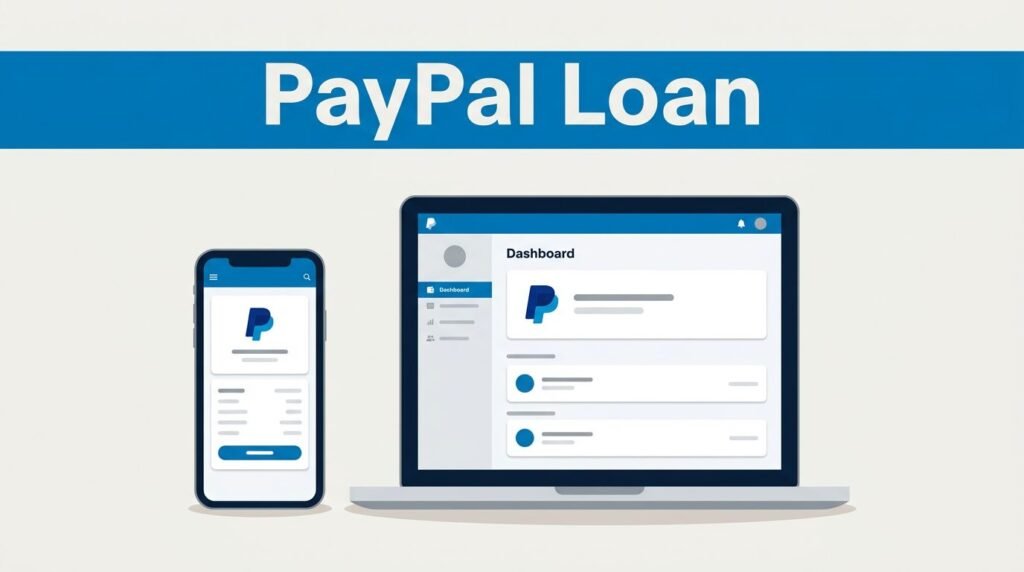
- Go to your dashboard or menu and look for PayPal Credit, Loan, or another financing section.
- If you see an offer, enter the amount you want to borrow.
- Review the repayment terms, interest rate, and any fees.
- Confirm the request and wait for PayPal’s quick eligibility check.
The menu name can vary a little. Some accounts show PayPal Credit, some show a financing banner, and some show nothing at all. If the borrowing section isn’t there, you can’t force it to appear.
After you confirm, PayPal will tell you whether you’re approved. That’s when your PayPal Credit approval, limit, and final terms become clear. If you wanted a PayPal easy guide, that’s the whole process.
What to review before you hit confirm
Repayment terms, interest, and fees
Before you submit anything, read the numbers like it’s your own receipt, because it is. Look at the repayment schedule, the interest rate, and the total cost, not only the amount you’re getting today. For PayPal Credit, you can check the official PayPal Credit terms for the fine print.
Pay close attention to:
- the amount you’re borrowing
- when your payments are due
- whether interest starts right away or later
- what a late payment could cost you
Double-check the amount before you confirm. Ten extra seconds now can save you from a bad payment plan later.
How you can use the approved funds
If you’re approved, the funds are deposited into your PayPal account. From there, you can use the money for online purchases, send money, or transfer it to your linked bank account. If you searched for “PayPal credit to cash” or a “PayPal balance loan,” that transfer step is usually what you’re trying to find.
You can also manage the loan from the PayPal app or website. That’s where you track your balance, check the due date, and keep up with payments. If you transfer funds to your bank, the timing can depend on your bank and the option you were approved for.
When PayPal borrowing isn’t showing
If PayPal borrowing not showing is your problem, it usually means there isn’t an offer on your account right now. Not every user gets the same PayPal loan option, and results can vary based on your account status, location, or the version of the app or website you’re using.
Check again later, keep your account in good standing, and make sure your payment method is current. Log in once a month and look at your balance and next due date if you already borrowed. Always have enough funds or a valid payment method ready on your due date.
This also isn’t a “make money online” trick. It’s borrowed money. If you miss payments, late fees can wipe out the convenience fast.
A quick note before you borrow
This guide is for educational and informational purposes only. PayPal can change products, limits, terms, and availability, so what you see may differ based on your setup, location, or account version.
As stated in the video disclaimer, “I am not a licensed financial advisor.” Nothing here is legal, professional, or financial advice, and you use the information at your own risk.
Final thoughts
Borrowing from PayPal is simple when the option appears. You log in, find the financing section, enter the amount, review the terms, and confirm.
The real decision isn’t the button taps, it’s whether the repayment schedule fits your budget. Open your PayPal account, see what offer you have, and make your choice from there.
Prefer Visual Help? Watch the Step-by-Step Video Guide!
Struggling with how to borrow money from PayPal? This video breaks it down step by step with clear, hands-on instructions. If you want the working method shown visually, this guide is for you.
Watch TutorialFrequently Asked Questions
Want to learn How to Send Money From GCash to PayPal? Here’s a Step-by-Step Guide Article on how to do so.