If you are trying to send money from GCash to PayPal, the important thing to know is that this popular mobile wallet does not usually offer a true wallet-to-wallet transfer into a PayPal balance. The PayPal option in GCash is mainly built for moving funds in the other direction, from PayPal to GCash.
The steps available to you depend on your GCash account, verification status, region, and current app version. Below, you will see how to link PayPal to GCash through the official Cash In pathway, what it does, and safer ways to use your funds for a PayPal account when a direct transfer isn’t available.
Key Takeaways
- GCash and PayPal integration is generally designed for PayPal-to-GCash transactions rather than direct transfers out.
- Check GCash > Cash In > Global Banks and Partners > PayPal inside your app to view available features for your fully verified account.
- A missing PayPal option usually points to account restrictions, regional limits, or eligibility rules.
- You can link your GCash virtual card or a traditional bank account directly to PayPal as an alternative funding source.
- Never share your GCash MPIN, OTP, PayPal password, or the email address linked to your account with anyone.
Quick Answer: Can You Send Money From GCash to PayPal?
In most cases, you can’t directly move your mobile wallet balance into a PayPal balance. This can confuse people because GCash lets you link PayPal through Cash In, but that connection is for bringing available PayPal funds into GCash.
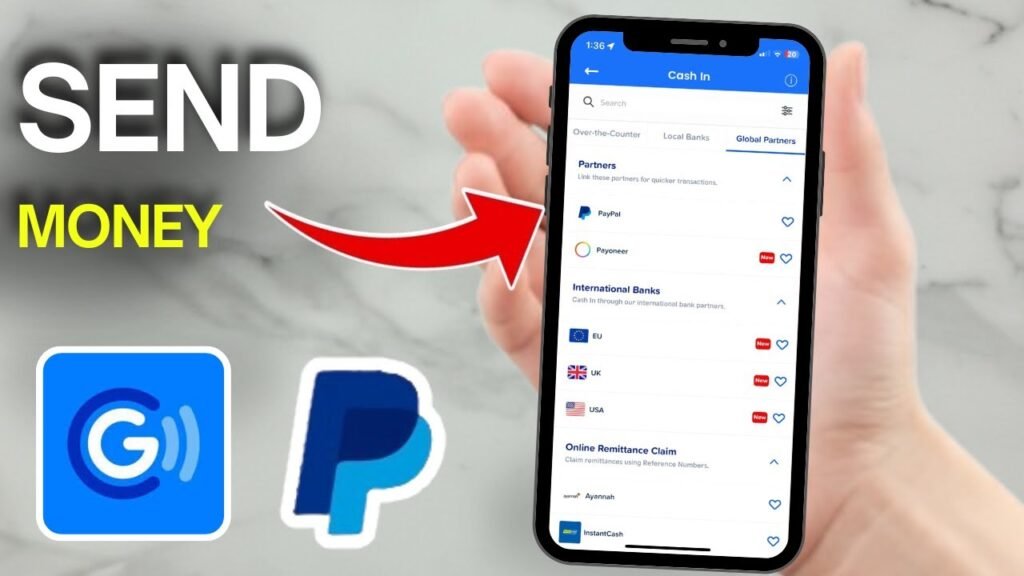
GCash’s official PayPal linking instructions show the path as Cash In > Global Banks and Partners > PayPal. After you successfully link PayPal to GCash, you can use the supported PayPal cash-in flow, which is normally PayPal to GCash.
That is different from a GCash to PayPal transfer. If you search for send money from GCash to PayPal USA, be careful with the results. Most instructions refer to the GCash Philippines ecosystem and may not apply to a PayPal account based in the United States.
Before you move money anywhere, check what appears in your verified GCash and PayPal accounts. A menu shown in a video, forum post, or older guide may not appear for you.
 ## Before You Start a GCash to PayPal Transfer
Use the official GCash app and the official PayPal app or website. Update both first. Financial app menus can change, and an old version may hide a feature that is available on a current version.
Your GCash account may need to be a fully verified account before proceeding. Your active mobile number, a confirmed email address, and identity checks may be required by both platforms before they allow certain activity. If account details need to match, use your real name on both accounts.
GCash says one PayPal account can be linked to one GCash account, and vice versa. If your PayPal account is already connected to another GCash account, you may need to remove that link before trying again.
Also, decide what you actually need:
- Add money to your PayPal balance using the Philippine Peso where applicable.
- Pay for something through PayPal with a linked card.
- Withdraw PayPal funds into your GCash account.
- Send a PayPal payment to another person.
Those are different actions. A PayPal balance is not the same as a PayPal-linked card, and a bank-funded PayPal payment is not the same as adding money to PayPal.
Never give an OTP, MPIN, PayPal password, or one-time login code to someone offering a “GCash PayPal conversion” service.
Check Whether PayPal Appears in Your GCash App
Open GCash and tap Cash In. Look for Global Banks and Partners, then check for PayPal.
Some app versions may show account connections under Link Accounts or My Linked Accounts. The exact wording can change slightly, but you should be able to link PayPal to GCash easily if your account has access.
Don’t keep digging through unrelated menus if it isn’t there. A missing option usually means a regional, verification, eligibility, or app-version limit. It isn’t usually a hidden setting you can force on.
Know What This Process Can and Cannot Do
Linking your mobile wallet and PayPal may let you use a supported cash-in path. It does not guarantee an instant way to send GCash funds to every PayPal account.
The reverse process is separate. Searches for how to transfer money from PayPal to GCash, how to send money from PayPal to GCash, or how to transfer money from PayPal to GCash usually lead to instructions for withdrawing funds. Those instructions do not work in reverse.
How to Send Money From GCash to PayPal
There is no confirmed official GCash menu that pushes your wallet balance straight into PayPal. Still, you should understand the available GCash PayPal path before choosing a bank or card workaround.
Here is what you can do in the app.
- Open GCash and tap Cash In on the home screen. You should see cash-in sources, not a list of people to pay.
- Choose Global Banks and Partners, then tap PayPal if it appears. If you don’t see it, stop there and use one of the alternatives later in this guide.
- Enter the amount, keeping in mind any applicable minimum amount and maximum amount restrictions, then tap Next or Continue. This is where the direction matters. The supported screen should indicate funds are coming from your PayPal account into GCash so you can successfully transfer money from PayPal to GCash.
- Sign in through the secure PayPal authorization screen. You may be asked to link the accounts first, and you can pull from a foreign currency balance if available. Confirm the PayPal email or account shown before approving anything.
- Review the amount, transfer fees, and exchange rate before you confirm. PayPal and GCash can show different amounts when a currency conversion fee applies to your transfer money from PayPal to GCash request.
- Check the confirmation screen and both transaction histories. Don’t assume the funds arrived because an account link was completed.
These GCash PayPal conversion steps are generally the route for PayPal to GCash, not for sending GCash to PayPal. The menus can look a little different on iPhone and Android, but account eligibility matters more than the device.
Never type your PayPal credentials into a third-party website. Don’t send GCash money to an unknown person who says they will load your PayPal account for you.
Follow the GCash Cash In and PayPal Linking Path
The sequence is usually Cash In > Global Banks and Partners > PayPal > amount > Next > PayPal sign-in > confirmation.
If the accounts aren’t connected yet, GCash may ask you to link them during this process. That is normal. Confirm the correct PayPal account before you accept the link, especially if you have more than one email address.
GCash’s cash-in fee page lists PayPal cash-in fees separately, so check the current transfer fees shown in the app before confirming. Don’t rely on an old screenshot.
Confirm the Result Before You Use the Funds
After confirmation, check the GCash transaction record, PayPal activity, available balance, currency conversion, and transaction status. A completed account link does not always mean money has posted.
If you see Pending, wait for its status to update before trying again. Submitting the same transaction twice can create a second request or make the history harder to sort out.
What Happens After the Transfer, and What to Do If It Fails
A supported transaction may show as pending, completed, declined, reversed, or unavailable. The final amount can change because of currency conversion, a convenience fee, account limits, or PayPal’s own review process.
Save the transaction reference number if money is deducted but doesn’t appear where expected. Then check your GCash history, PayPal activity, and the email notices from both services. Contact support through the official help centers if the status of your GCash account or PayPal account doesn’t make sense.
Why You Do Not See PayPal in GCash
The PayPal option may be missing because you lack a fully verified account, the PayPal account is linked elsewhere, your app needs an update, or the feature isn’t available for your account or region.
Try updating GCash, signing out and back in, and reviewing your verification status. If the service is temporarily unavailable, waiting is safer than repeatedly attempting the same action.
No setting can make an unsupported regional feature appear. That is why a guide for GCash Philippines may not solve a problem with a US-based account.
Why the Transaction Is Pending, Declined, or Reversed
Incorrect details, mismatched account names, insufficient available funds, conversion issues, a strict transaction limit, security checks, and service outages can interrupt a transaction.
Don’t immediately repeat a failed GCash to PayPal transfer. Check both transaction histories first. If the amount was deducted, keep the reference number and follow the official support instructions.
Common GCash PayPal Mistakes to Avoid
A common mistake is confusing Cash In with sending money. Cash In is designed to add funds to GCash, not necessarily send wallet money out to PayPal.
Another mistake is following reverse-direction results. Searches such as transfer money from PayPal to GCash can be useful if you’re withdrawing PayPal funds, but they don’t answer how to send GCash to PayPal.
Avoid unofficial exchangers, approving the wrong PayPal account, ignoring transfer fees, and sharing security codes. A stranger who needs your login details is not offering a safe workaround.
Alternative Ways to Use GCash Funds With PayPal
If the direct route is unavailable, a bank account or eligible card may give you a practical option. These methods don’t transfer your GCash wallet balance into PayPal itself, but they can help you fund or pay through PayPal.
 ### Use a Bank Account as a Bridge
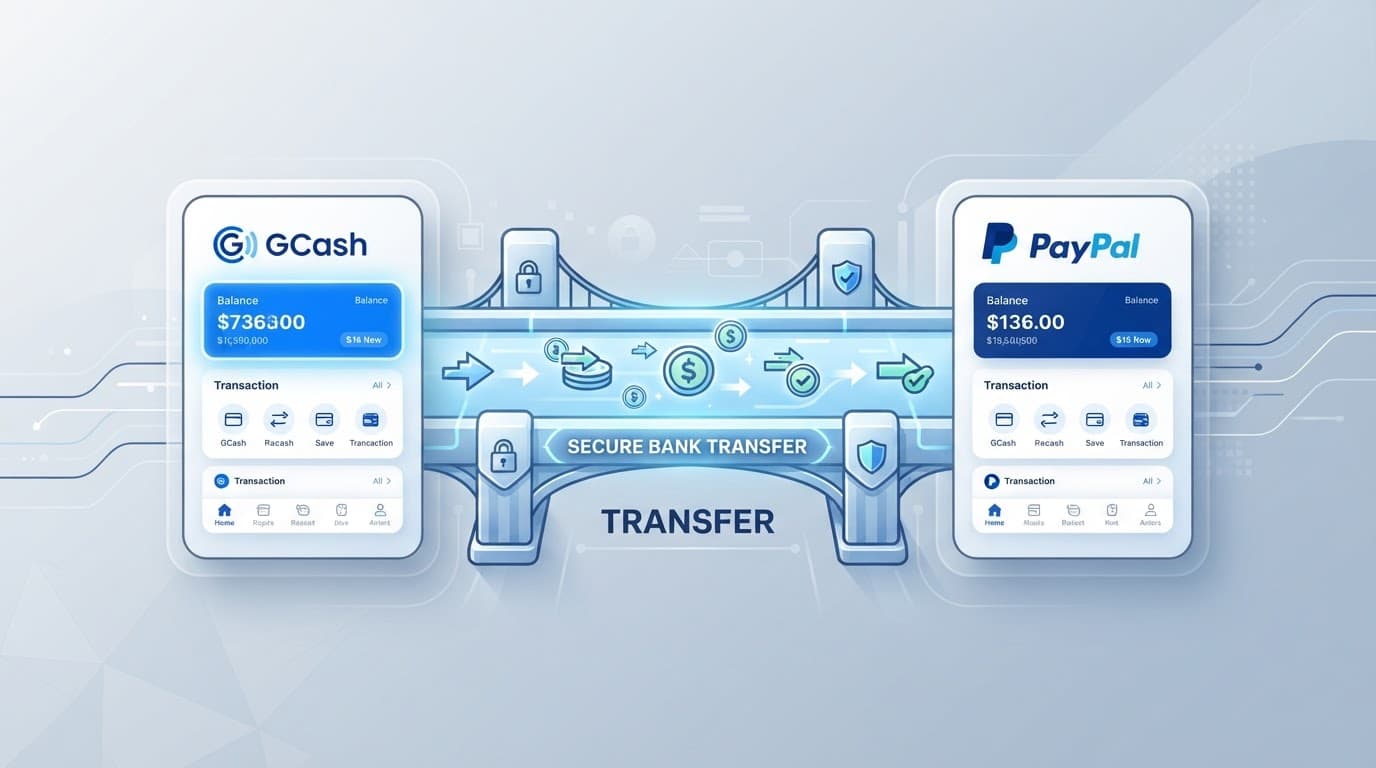
You may be able to transfer GCash funds to an eligible Philippine bank account, then use that bank account with PayPal if PayPal supports it for your account. When utilizing your bank account for these steps, always verify that your bank account matches your profile.
Check the bank transfer fee, limits, settlement time, and currency before you start. This is a two-step process, not a direct GCash-to-PayPal wallet transfer.
Use accounts in your own name. Account-name mismatches can trigger delays or declined transactions.
Use a GCash Card for PayPal Payments
If you have an eligible GCash Mastercard or GCash card, you may be able to add it in PayPal Wallet > Link a card. Enter the card number, expiration date, security code, billing details, and any verification information PayPal requests. Confirm the recipient details carefully to ensure correct routing.
Linking a card lets PayPal charge that card for supported payments. It does not automatically add money to your PayPal balance.
Check card eligibility, available balance, foreign transaction fees, exchange rates, and merchant acceptance before paying. The card can work for one PayPal payment and still be declined for another.
Frequently Asked Questions About GCash and PayPal
Does it work on iPhone and Android? Usually, yes, if the feature is available to your account. Menu wording may differ slightly, and you might need your registered mobile number handy.
Does it work in the United States? GCash is centered on the Philippines. A US PayPal account or region may have different limits, and you will want to verify the accepted Philippine Peso options.
Can GCash directly send money to a PayPal balance? Not through a clearly supported wallet-to-wallet feature, though some users rely on a linked email address for reference.
Is PayPal-to-GCash the same process? No. That is the reverse-direction cash-in flow, which often functions closer to an instant transfer.
Will the recipient be notified? A PayPal recipient may receive a PayPal notice if you send a PayPal payment through a supported funding method.
Can you cancel a pending transaction? Check the status first, noting any applicable minimum amount, maximum amount, transaction limit, currency conversion fee, or exchange rate considerations. Don’t submit it again until GCash or PayPal confirms what happened.
Conclusion
First, check GCash > Cash In > Global Banks and Partners > PayPal and confirm what your GCash account supports. That path is usually for PayPal funds going into GCash, not the other way around.
If the option is missing or you need to pay through PayPal, use an eligible bank account or debit card linked to your mobile wallet instead of an unofficial exchanger. Verify the amount, conversion, PayPal account name, and transaction status before you try again.