Zelle is a fast and convenient way to send money directly through your bank or credit union app. However, if you make a mistake, knowing how to cancel a Zelle payment is a crucial skill. You can typically only cancel a transfer if the payment is still pending and the recipient has not yet enrolled with Zelle.
Once a payment status shows as completed, there is no undo button available. In that scenario, your best move is to ask the recipient to return the funds directly. If that is not possible, you should contact your financial institution to see if they can offer further assistance.
Key Takeaways
- Act immediately: You can only cancel a Zelle payment if it is still marked as “Pending,” which typically occurs only if the recipient has not yet enrolled with the service.
- No “undo” for completed transfers: Once a payment status changes to “Completed,” the funds are usually sent instantaneously and cannot be canceled by you or your bank.
- Request a return: If you send money to the wrong person, your most reliable option is to contact the recipient directly and politely ask them to send the funds back to you.
- Verify before you send: Always double-check the recipient’s U.S. mobile number or email address, or use a Zelle QR code, to avoid sending funds to the wrong account in the first place.
Check the Payment Status First
Open your mobile banking app or the Zelle app if that is where you initiated the transfer. Navigate to your activity page to review your recent history. The specific menu name may vary depending on your financial institution, but you are looking for your history, transactions, or pending transfers.
Checking the transaction status is the most important step because it determines if you can stop a Zelle payment. A transfer sent to someone who has not enrolled with Zelle may stay pending until they complete the registration process. This is the narrow window where canceling a Zelle payment is possible because the recipient hasn’t enrolled yet.
Speed matters. Check the transfer as soon as you notice the wrong amount, phone number, or email address. Verifying these details quickly is the best way to prevent an accidental payment from finalizing.
How to Cancel a Pending Zelle Payment
If you are trying to figure out how to cancel a zelle payment, your first priority is to locate the transaction details. Do not wait for the recipient to respond or sign up for the service, as the status can change quickly.
- Open your mobile banking app or the Zelle app.
- Navigate to your activity page to view your recent transactions.
- Locate the pending payment you wish to stop.
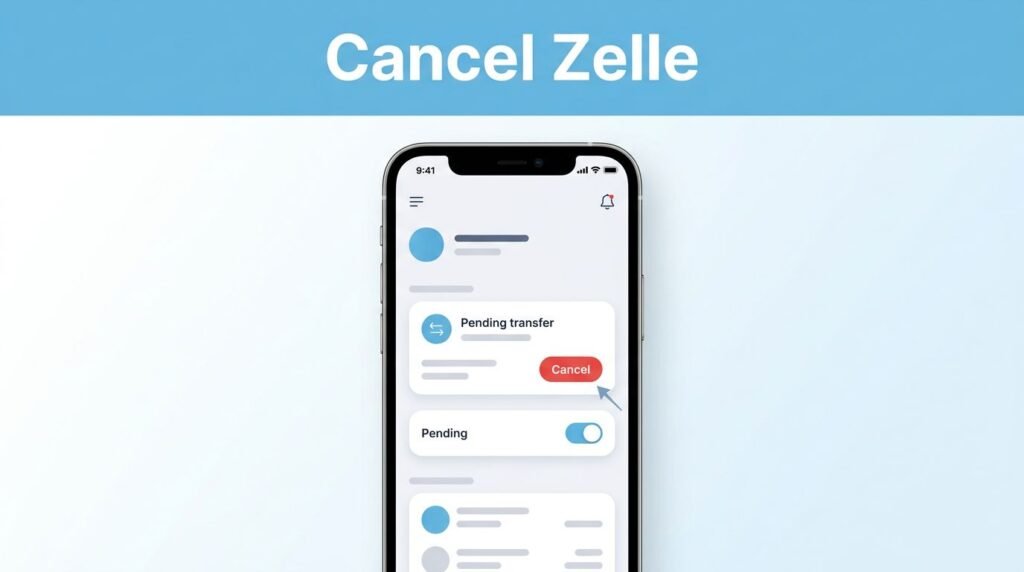
- Select the specific transaction and look for an option to cancel this payment.
- Confirm your choice if the system prompts you to do so.
Afterward, return to your history to verify that the status has been updated to canceled. You should also check your available balance, as the funds might not reflect immediately.
It is important to note that a pending status alone does not always guarantee you can stop the transaction. If you have sent money to an enrolled recipient who is already linked to a U.S. mobile number or email address, the transfer is typically instantaneous. In these cases, the option to stop the transaction will not be available because the funds have already reached the account. Always double check that you have entered the correct U.S. mobile number or email address before hitting send to avoid future issues. For the complete sending process, follow our guide on how to send money with Zelle using just an email address.
What to Do When the Payment Is Completed
Can you cancel a Zelle payment after it is completed? In most cases, no. Zelle payments are designed to move funds quickly, so a completed transfer cannot be canceled from your side of the app.
This is why a completed payment is different from a pending one. You cannot use a Zelle cancel payment option after the recipient has already managed to receive money into their bank account. Because these transfers happen nearly instantaneously, your financial institution generally cannot stop a payment that is already marked as completed. You also cannot force the system to reverse a payment from the transaction screen.
Your best first step is to contact the person who received the money. Keep the message short, polite, and clear. Tell them you sent the payment by mistake, include the amount, and ask whether they can send it back.
For example:
“Hi, I sent you $[amount] through Zelle by mistake. Could you please send it back when you get a chance? Thanks.”
The recipient may choose to send a separate Zelle payment back to you. That is how a Zelle refund usually works for a completed payment. Since you are relying on the recipient to return the funds, be sure to double-check the recipient details carefully before you send future transfers.
Contact Your Bank When You Need More Help
If the recipient does not respond, or you are unsure what happened to the transfer, contact the customer support team at your bank or credit union. You can usually find Support, Help, or Contact Us options inside the app.
Have the payment details ready before you call or message your financial institution:
- The date and time you sent the transfer
- The amount
- The recipient’s phone number or email address
- The transaction ID, if your activity screen shows one
- The payment status, such as Pending or Completed
Your bank can review the payment and explain what options apply to your account. Still, do not expect the bank to automatically reverse a payment once it is complete. A completed Zelle transfer is not handled like a credit card chargeback.
If you are asking if you can reverse a payment, the practical answer is that you cannot do it yourself after the transfer is finished. While you may be able to dispute a transaction in cases involving fraudulent transactions or an imposter scam, success is not guaranteed. In most cases, a recovery depends entirely on the recipient voluntarily returning the money or your bank reviewing the situation to determine if further action is possible.
What Happens After You Cancel a Zelle Transfer
A successful cancellation should change the transfer status to Canceled in your activity history. It is also important to check your available balance, as this confirms whether the funds are ready to use again.
Keep in mind that if you sent money to someone who is not an enrolled recipient, the payment expires automatically after a set period if they do not register. Once you successfully cancel a pending transaction, it may take a few business days for the funds to fully settle into account balances. Because bank processing times vary, you should consult your specific mobile banking app for the most accurate updates.
If you do not see the canceled status reflected or the funds do not appear as expected, contact your bank and provide the transaction details. Do not confuse a canceled payment with a completed payment that you are trying to recover. A canceled Zelle payment refund occurs by stopping a pending transfer before it processes, whereas a completed payment requires the recipient to return the money voluntarily.
Avoid Sending the Wrong Zelle Payment Again
Zelle is convenient, but it is closer to handing someone cash than placing an online order. Before you tap send money, slow down long enough to verify recipient information and confirm the total amount.
Whenever possible, use a Zelle QR code to ensure the accuracy of the U.S. mobile number or email address rather than typing these contact details manually. If you are paying someone new and a QR code is not available, message them first to confirm which contact information they use for Zelle. A small test payment can also help when you are sending a larger amount for the first time.
Be extra careful with names that look similar in your contact list. One wrong digit in a phone number or one outdated account detail can send your funds to the wrong place, so always double check the details before you hit confirm.
Common Questions About Canceling Zelle Payments
Can you cancel a pending Zelle payment?
You can cancel a pending payment if the recipient has not enrolled with Zelle yet and your app displays a cancel option. Open your transaction history and view the details as soon as possible to see if this is available.
How do I cancel a Zelle payment if there is no Cancel button?
If there is no cancel button, the transfer has likely already been completed. Because an enrolled recipient typically receives a payment notification almost instantly, the funds are usually moved immediately. If the money has already arrived, contact the recipient directly to request a refund, or contact your bank for additional support if you suspect fraud.
Can I cancel a Zelle payment that is pending?
You may be able to, but you must meet two specific conditions. First, the transaction must show as a pending payment in your account. Second, the recipient must not have previously set up their account to receive money through the network. If they are not yet registered, you may see an option to stop the transfer.
How do you refund a Zelle payment?
If you received money by mistake, the best approach is to send the amount back to the original sender by initiating a new Zelle payment. If you are the one who sent money to the wrong person, you will need to reach out to the recipient and ask them to send the funds back to you using this same process.
Prefer Visual Help? Watch the Step-by-Step Video Guide!
Struggling with How to Cancel a Zelle Payment Before It Goes Through? This video visually walks you through the steps so you can follow along more easily.
Watch TutorialAct Fast When You Need to Cancel
The best way to cancel a Zelle transfer is to catch it while it is still pending and before the recipient has enrolled to receive the funds. Once the transaction is completed, clear communication with the recipient is typically your most reliable option for recovering your money.
Always take a moment to verify the recipient, contact details, and the transfer amount before sending any payment. That small pause can save you from the stress of chasing down a refund later. While your bank or credit union provides the tools and security features to manage your digital transactions, the best defense against errors is always double-checking every transfer before you hit send.
Want to learn How to Create a Zelle Account Through Your Bank? Here’s a Step-by-Step Guide Article on how to do so.