If you are trying to figure out how to send money with Zelle using just email, the process is straightforward. You only need the recipient’s email address, the amount you want to send, and access to your bank or credit union app. If you prefer to manage your finances through online banking, you can often access these features directly through your institution’s digital portal as well. You do not need to provide their bank account number or routing number to complete the transfer.
The most important thing to remember is that Zelle payments should only be sent to people you know and trust. Because funds move quickly, one misspelled email or a rushed tap can lead to an issue. Taking a moment to verify your details ensures your transfer goes exactly where it is intended.
Key Takeaways
- Use Your Bank’s App: Access Zelle directly through your own financial institution’s mobile or online banking portal; avoid standalone third-party apps.
- Verify Recipient Details: Since Zelle transactions are typically instantaneous and often irreversible, always double-check the recipient’s email address and the transfer amount before hitting send.
- Only Pay People You Trust: Zelle does not offer purchase protection, making it unsuitable for buying items from strangers or paying unfamiliar sellers.
- Streamlined Transfers: By linking an email address to a Zelle profile, you can send money securely without needing to exchange sensitive banking information like account or routing numbers.
What You Need Before Sending a Zelle Email Payment
Zelle makes it simple to send and receive money through many participating financial institutions. In most cases, you will find this feature directly within your mobile banking app under a name like Zelle, Send money, Pay and transfer, or Transfer and pay.
If an older guide suggests using the standalone Zelle app, you should instead use your own bank or credit union app. While the exact menu names may differ between each bank or credit union, the overall process for sending payments is generally the same. To get started, you must have an eligible bank account at a financial institution that supports the service.
Before you initiate the transfer, make sure you have:
- The recipient’s current email address (though you can also use a U.S. mobile number if preferred)
- Sufficient funds in your U.S. based bank account
- Confirmation that the email or phone number belongs to the right person
- A reason or short note for the payment, if you want one for your own records
Linking an email address to a person’s Zelle profile allows you to transfer money without needing to share or request sensitive bank account details.
Treat a Zelle payment like handing over cash. Always confirm who you are paying before you hit send.
How to Send Money Through Zelle With an Email Address
The steps below work for most US Zelle email instructions, even if your bank’s screen or online banking portal looks a little different.
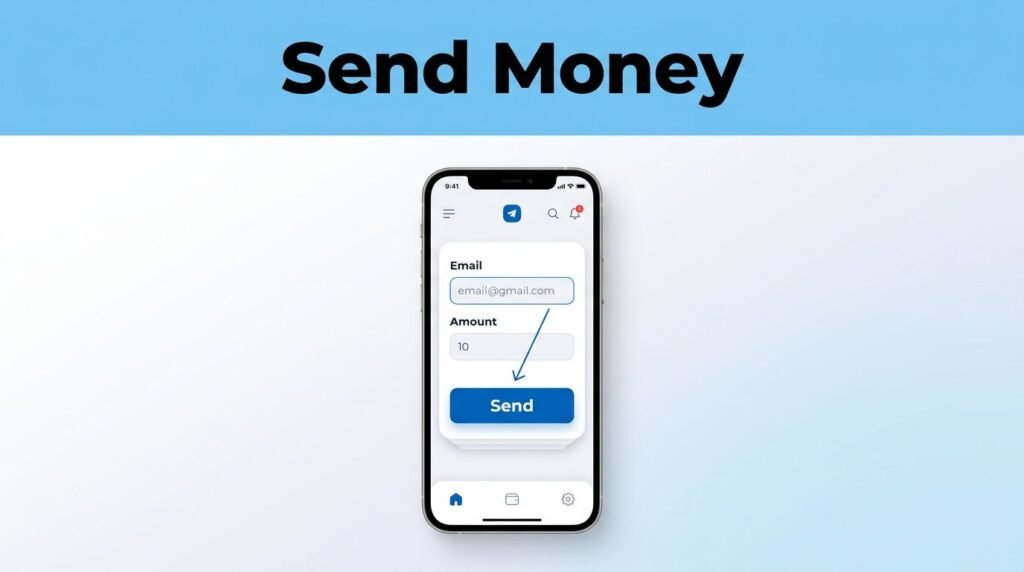
- Open your bank or credit union app.
Sign in as you normally would. Look for the payments or transfers area, then choose Zelle or Send money. You can often access these features through your bank’s mobile app or by logging into your online banking account. - Choose the option to send money.
You may see a button labeled Send, Send money with Zelle, or Pay someone. Select it to begin a new payment. - Enter the recipient’s email address.
Type the recipient’s email address they use for Zelle. Alternatively, if you are in person, you can scan their QR code to automatically fill in their details. If they are already saved as a contact, make sure you pick the correct person before moving on. - Enter the amount you want to send.
Type the dollar amount, then take a second to check it. This is easy to overlook when you are splitting dinner, paying rent, or sending back money you borrowed. If your bank supports it, you may also see an option to set up recurring payments for regular expenses. - Add a short note if needed.
A note can make your transaction history easier to understand later. For example, you could write Dinner, Rent, or Birthday gift to help organize your records. - Review and send the payment.
Check the recipient’s email address, the name shown by your bank, the amount, and your note. When everything looks right, tap Send, Review, or Confirm.
Double-check the email spelling before sending funds. A small typo can point the payment to the wrong contact or delay the transfer.
What Happens After You Send the Money
If the recipient is already signed up, the funds are typically available in minutes once you initiate the transfer. Your banking app will usually display a confirmation screen or update your activity history to reflect the transaction.
If the recipient has not yet registered, they will receive a payment notification via email or text message with instructions on how to claim the funds. To receive the money, they must enroll with Zelle by connecting an eligible bank account to their U.S. mobile number or the specific email address you used for the transfer.
It is always a good idea to let the recipient know that you have sent the payment. If they are expecting it, they can monitor their inbox, including their spam or junk folder, for the notification. Because Zelle handles the transfer securely, the recipient never needs to share their private bank account number with you. They simply need to link their preferred email or mobile number to their own account at a participating financial institution to complete the process.
Keep Zelle Payments Safe
Zelle is a convenient tool for paying friends, family, roommates, and other trusted recipients you already know. It is important to remember that Zelle does not offer purchase protection for transactions, so it is not a secure choice for buying items from strangers, paying an unfamiliar seller, or sending money because someone contacted you unexpectedly.
A common mistake is trusting an email address simply because it looks familiar. Before you send money through Zelle, confirm the contact information through another method. Text or call the person using a U.S. mobile number you already have on file, especially if you are initiating a high-value transfer.
Be careful if someone pressures you to pay quickly. Scammers often create a sense of urgency because they do not want you to stop and verify the details. Be particularly wary of imposter scams, where individuals pretend to be representatives from your bank. Keep your banking login information private at all times. Your bank will never ask you for your password or a verification code, so never share these details with anyone, even if they claim to be from a financial institution.
If You Notice a Mistake After Sending
Check your payment history right away if you think you entered the wrong email address or amount. Your bank may show whether the payment is pending, complete, or still waiting for the recipient to enroll.
Do not assume you can cancel a payment after it has been sent. If the recipient is already enrolled, the funds may be delivered almost instantly. Contact your bank as soon as possible if you made a mistake, but understand that it may not be reversible.
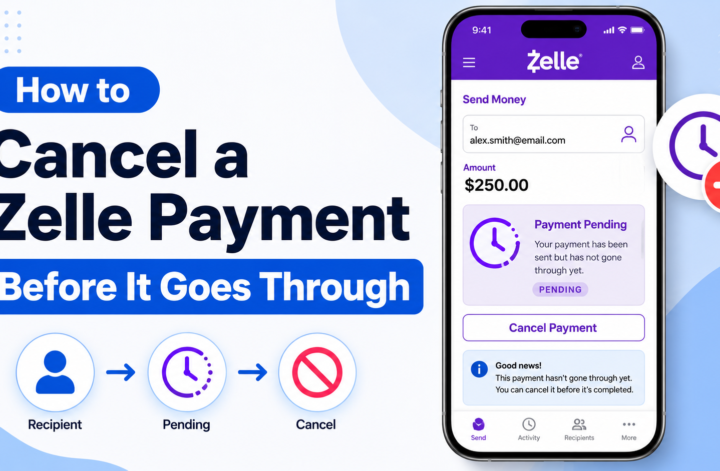
If the payment is still pending because the recipient has not enrolled, your app may show an option to cancel a payment. Look for the transaction in your Zelle activity, then open its details to see what options are available to you.
If you encounter an error during your transaction, check your daily sending limits to ensure you have not exceeded them. Keep in mind that these daily sending limits might differ if you are sending funds from a small business account. If you do not see a Zelle option at all, your financial institution may not offer the service, your account may have specific restrictions, or your app may need an update.
Common Questions About Sending Zelle to Email
Can you send Zelle to someone with only an email address?
Yes, you can send money with Zelle using an email address if the recipient has enrolled that email with Zelle or can enroll it after receiving the payment notice. You can also request money from others using their email address. In either case, you do not need their bank account or routing number to complete the transaction.
How long does a Zelle email transfer take?
Payments to an enrolled recipient are often available in minutes. A payment sent to someone who is not yet enrolled may take longer, as they will need to complete the enrollment process before the funds are available in minutes.
Does Zelle charge a fee to send money?
Zelle itself does not charge a fee to send and receive money. However, you must have an eligible bank account to use the service. You should always check your bank or credit union’s account terms for any limits, restrictions, or separate account fees that may apply.
Can you use Zelle on iPhone and Android?
Yes, Zelle is typically available through your bank’s iPhone or Android app if your financial institution supports it. While the menu layout may vary, you will generally look for Zelle, Pay, or Transfer options. You can enroll in Zelle using either a U.S. mobile number or an email address. If you choose to request money using a U.S. mobile number, your recipient might receive a text message notification alerting them to the payment request.
Prefer Visual Help? Watch the Step-by-Step Video Guide!
Struggling with How to Send Money With Zelle Using Just Email? This video visually walks you through the steps so you can follow along more easily.
Watch TutorialSend Only After One Last Check
Sending money through Zelle is straightforward whether you use an email address or a Zelle tag. Once you have the correct information, you can open your bank app, enter the recipient details, add the amount, review the transaction, and confirm the payment in just a few moments.
The step that matters most is the brief pause before you tap send. Always take a moment to verify the email address, confirm the person you are paying, and ensure the amount is correct. Because Zelle transfers move money quickly, sending only to trusted recipients is the best way to keep a simple payment from turning into a stressful situation. A quick review before confirming is the final safeguard to ensure your funds reach the right destination.