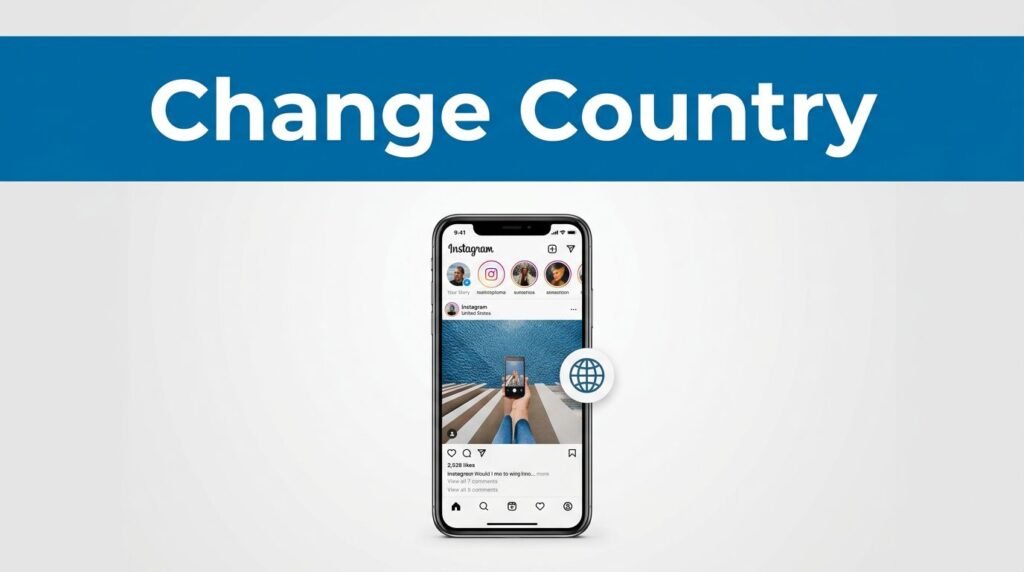
If Instagram keeps showing you the wrong place, the app can feel stubborn. The good news is that learning how to change country on Instagram is pretty simple once you know where the real controls are.
This isn’t only about one setting. Part of it happens in your Instagram account settings, and part of it comes from the signals you give the app. If you want to change your Instagram country for better Reels, Explore results, ads, or Shop suggestions, this quick Instagram tutorial will get you moving in the right direction.
Start with your Instagram country settings
Open your profile and find Account Center
If you’re wondering how to change Instagram settings without digging through every menu, start here:
- Open Instagram.
- Tap your profile icon in the bottom-right corner.
- Tap the three lines in the top-right corner.
- Open Settings and privacy.
- Scroll down and tap Account Center.
- Tap Personal details.
- Choose Profile information.
This is the first place to check when you want to change country on your Instagram account. If Instagram allows it for your account type, you’ll see a country or region field there. Update it and save your change.
If Instagram isn’t showing the country option
This is where a lot of people hit a wall. If Instagram is not showing country options, it usually means the setting is limited by your account type or the app version you’re using.
You’re not stuck, though. An Instagram region change doesn’t rely on one field alone. Comparitech’s breakdown of Instagram location changes also points out that account type can affect which location-related options you can edit.
Teach Instagram which region you want
Change language and refresh content preferences
After you check Profile information, go back to Settings and privacy. Tap Language and switch to a language commonly used in the country you want. This helps change your Instagram region because Instagram’s algorithm pays attention to language signals, not only profile details.
Next, scroll to App and media activity and tap Content Preferences. This can help refresh your recommended region. If your goal is to change location on Instagram for what you see every day, this step matters as much as the profile update.
Instagram reads patterns, not only one tap.
So if you want to update Instagram location signals, think bigger than one menu. Your language, content preferences, and activity all work together.
Clear old signals and interact with local content
Now clear your search history. That helps cut down on old suggestions tied to the region Instagram already knows.
After that, start interacting with content from the country you want. Watch Reels, open posts, and follow accounts from that region. Search for creators and topics from there too. The more you do this, the more you teach Instagram what you want your feed to look like.
This is the part people skip, then wonder why the Instagram location change didn’t stick. If you want to fix Instagram settings and push the app toward a real change, your behavior has to match the setting.
Use a VPN for a stronger Instagram location change
Connect to the country you want, then reopen the app
If you want stronger results, turn on a VPN on your phone and connect to the country you want. Then force close Instagram and open it again.
That matters because reopening the app after the VPN connects gives Instagram a fresh shot at reading your location. If you’re trying to switch region on Instagram, this is often the extra nudge that helps everything line up.
If you want a second reference point, PurePrivacy’s guide to changing location on Instagram also explains why a VPN works best when you combine it with in-app changes.
What happens after you change Instagram region
Don’t expect everything to flip instantly. After you update Instagram location settings, clear old search signals, change your language, and reopen the app from the new VPN region, Instagram usually adjusts over time.
You’ll start to notice changes in your recommended Reels, your Explore page, the ads you see, and even some Shop features. That’s the real payoff of an Instagram region change. You’re not only changing a label, you’re changing what the app thinks you want.
Final thoughts
If you want to change country on Instagram, the fastest path is to do both parts: update what you can in the app, then back it up with better activity signals. That’s how you change Instagram country settings in a way that feels real, not temporary.
Open the app, make the edits, switch the language, clear the old search data, and spend a little time with content from the region you want. Give Instagram a bit of time, and your new region should start showing up where it counts.
Prefer Visual Help? Watch the Step-by-Step Video Guide!
Struggling with How to Change Country on Instagram? Don’t worry—this video breaks it down step by step with clear, hands-on instructions. If you want the only working method that actually gets results, this video is for you!
▶ Watch TutorialFrequently Asked Questions
Want To Learn How to Remove Music From an Instagram Post After Posting. Here’s a Step-by-Step Guide Article on how to do so.