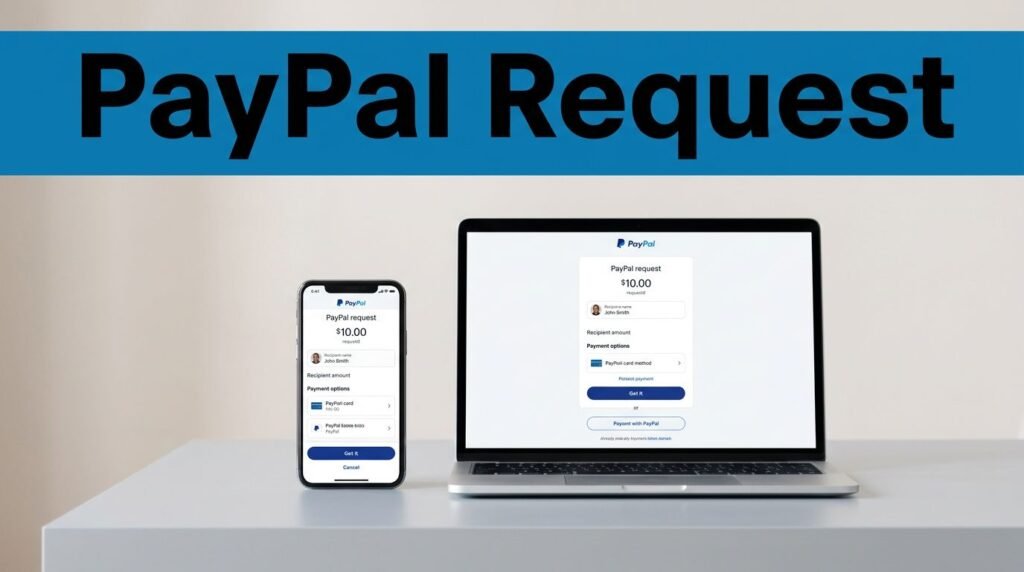
If you’re trying to figure out how to request money on PayPal, you can do it in less than a minute once you’re signed in. It’s one of the easiest ways to ask for your share of dinner, collect money for a group gift, or get paid for a small job without handing out your bank details.
The steps are almost the same on the PayPal app and the desktop site, and the person paying you gets a prompt right away. Here’s how to send the request cleanly, avoid common mistakes, and know what happens next.
How PayPal request money works
A PayPal request is a built-in way to ask someone for a payment. Instead of texting your bank info or chasing someone with a reminder, you open PayPal, pick the request option, enter their contact details, and send the amount you want.
You can request money on PayPal using an email address, phone number, or PayPal username. That’s useful because people don’t always give you the same contact info on every app. The request goes to the person you choose, and once they pay, the money lands in your PayPal balance.
This is why a PayPal money request is handy for everyday stuff. You can use it for splitting rent, collecting for concert tickets, or getting paid back after covering groceries. It’s also cleaner than cash because you can see whether the request is pending or paid.
The biggest win is simple: you can get paid without sharing your private bank account numbers.
If you’re wondering how does PayPal request money work on different devices, the answer is mostly the same. The app and website may look a little different, but both let you request, review, and send from the same account. If PayPal moves a menu or changes a button name, the official PayPal request money page is the best place to check current steps.
How to request money on PayPal step by step
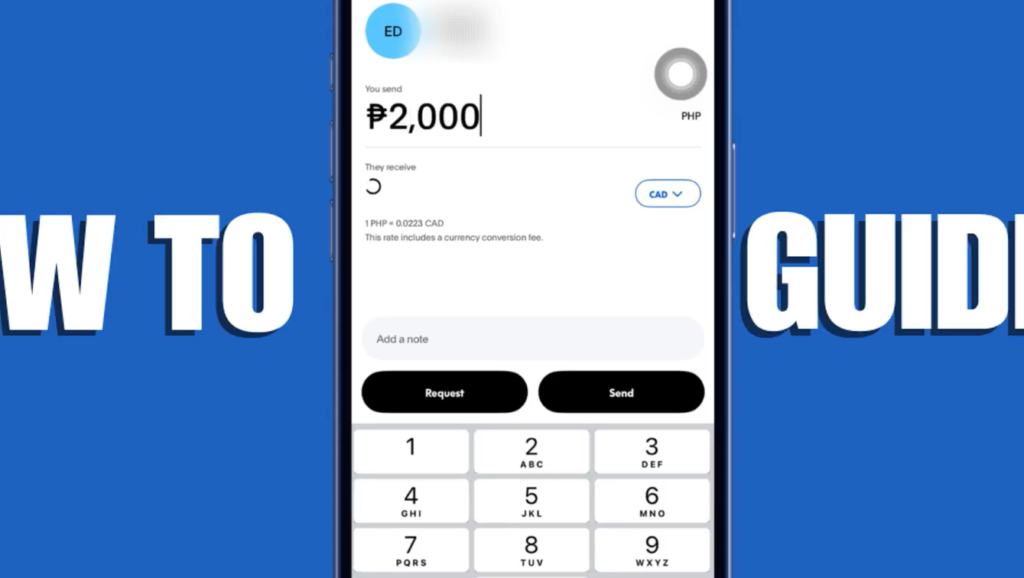
If you’ve asked yourself, “How do I request money on PayPal?” this is the flow you’re looking for. Whether you want to know how to request money on PayPal app or on a computer, the steps are nearly identical.
- Open the PayPal app, or sign in on the PayPal website. Use your usual login and keep your password private.
- Tap or click “Request” from the main menu or dashboard. On some versions, you may see “Send/Request” first.
- Enter the person’s email address, phone number, or PayPal username. Double-check the spelling before you go any further.
- Type in the amount you want to receive. This should be the full amount you’re requesting.
- Add a short note. A line like “Dinner Friday” or “Half of utility bill” makes the request easier to recognize.
- Review everything, then tap “Request Now” to send the PayPal request.
That review screen matters more than people think. One typo in the contact field can send your request to the wrong person, and a wrong amount creates an awkward follow-up you didn’t need.
If you’re requesting money on PayPal often, get in the habit of adding a note every time. It saves back-and-forth later, and it helps the other person pay you faster because they know exactly what the charge is for.
What happens after you send a PayPal money request
Once you send a money request in PayPal, the other person gets a notification. They can usually pay from their PayPal balance, a linked bank account, or a card, then you get notified when the payment goes through. If you’re using the app, turning on push notifications helps because you see the payment as soon as it clears.
When the payment is completed, the money appears in your PayPal balance. If you’re already using PayPal as a wallet, that makes life easier because the funds are right there for future purchases or transfers. If you’re building up that balance in different ways, you can also redeem PayPal reward points for cash and keep everything in one place.
PayPal request money vs invoice
If you’re comparing PayPal request money vs invoice, the quick rule is this:
A PayPal request is faster when you want to get paid back or collect a simple payment. An invoice is better when you need a more detailed record for work, products, or repeat clients. So if you’re thinking about PayPal money request vs invoice, start with how formal the payment needs to be.
Using a PayPal request money link
If you don’t want to type in one person’s details, PayPal also has a request money link option. A PayPal request money link, or request money PayPal link if that’s the term you searched, lets you share a payment request by text, email, or DM. PayPal explains that setup on its PayPal Links help page.
Mistakes, fees, and quick fixes to know before you send
Most PayPal request problems come down to small details. The wrong email, a mistyped username, or the wrong amount can hold things up fast. If the other person says they didn’t get the request, check the contact info you used first. That’s usually the issue.
If you catch a mistake before it’s paid, correct the request in your account instead of asking the person to “ignore it” and hope for the best. Keeping things clean inside PayPal makes it easier to track what is still pending and what has already been paid.
Fees are where people get tripped up. A lot of users want to know how to request money on PayPal without fees, or how to request money on PayPal for friends and family. The answer depends on the payment type, funding source, account setup, and sometimes location. So if you’re worried about a PayPal request money fee, PayPal money request fee, or any request money PayPal fee, check the on-screen details in your account before you send the request.
The same goes if you want to request payment via PayPal for small business work. For a quick one-off payment, a request may be enough. For more formal client billing, use an invoice instead. And if you’re trying to request money using PayPal from someone who doesn’t seem to recognize the request, ask them to look for the PayPal notification and confirm they’re signed into the right account.
Why requesting money on PayPal is easier than cash
Cash sounds easy until you’re waiting on exact change, trying to remember who paid, or realizing nobody has bills on them. PayPal cuts through that. You send the request, the other person pays digitally, and you both have a record.
This works especially well when you need to:
- split a restaurant bill
- collect money for a group gift
- get paid for a small side job
- request money from friends on PayPal after covering a shared expense
It’s also less awkward. Instead of sending three reminder texts, you can send one clear PayPal request with the amount and a short note. That’s why so many people use it when they need to request payment on PayPal or send a money request on PayPal without turning it into a whole conversation.
If your goal is speed, send the request right after the expense happens. People are much more likely to pay when the reason is fresh in their mind, and you avoid that annoying payment lag that shows up a week later.
Final thoughts
A PayPal request is one of the fastest ways to get paid back when the amount is simple and the reason is clear. Open the app or site, choose “Request,” add the right contact, enter the amount, and review it before you hit send.
The part that matters most is the boring part, double-checking the contact details and adding a short note. Do that, and your PayPal money request is much more likely to get paid without confusion.
Frequently Asked Questions
Quick answers to common questions people ask before requesting money on PayPal.
Want to learn How to Send Money From GCash to PayPal? Here’s a Step-by-Step Guide Article on how to do so.