If your quotes look plain and your books feel cluttered, QuickBooks Online usually needs help in two places: your estimates and your chart of accounts. One is customer-facing, the other […]
How to Add a Subcategory in QuickBooks Online

Simple, Step-by-Step Tutorials for Everyday Tasks
If your quotes look plain and your books feel cluttered, QuickBooks Online usually needs help in two places: your estimates and your chart of accounts. One is customer-facing, the other […]

If you need to create a delivery note in QuickBooks Online and don’t want to retype the same message on every sale, the easiest fix is to build it into […]

Trying to figure out how to run a fixed asset register in QuickBooks Online can feel a little backward the first time. You go looking for a clean report, then […]
If you need to import a trial balance in QuickBooks Online, you have two practical options: enter it by hand as a journal entry, or use an app that pulls […]

Free trials sound simple until the pricing page gives you two different offers and one wrong toggle changes the whole deal. If you want the QuickBooks Online 30-day free trial, […]
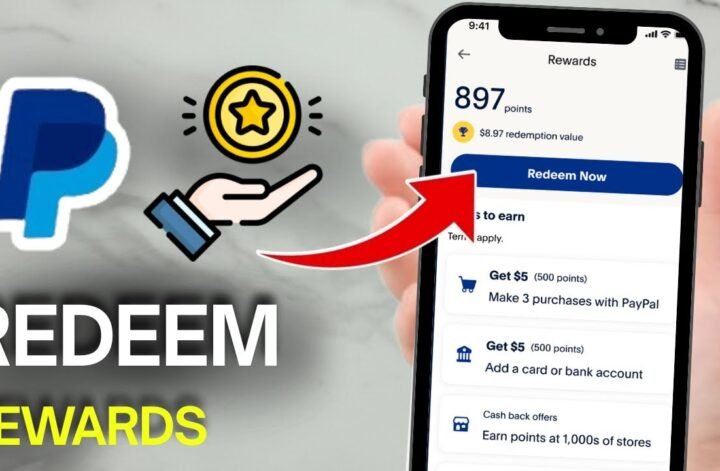
Got PayPal reward points sitting in your account? You can turn them into cash back, gift cards, or donations in a few taps from the PayPal app or the website. […]

If you want to accept PayPal payments in Stripe, the setup is pretty simple, but only if your Stripe account is in a supported region. That last part matters more […]
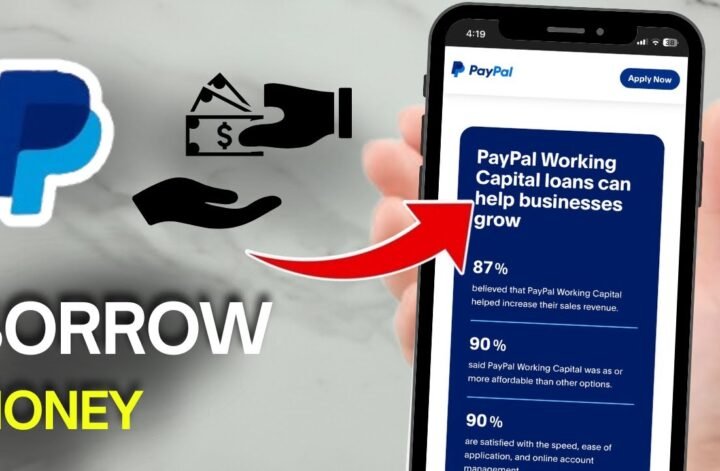
Need cash fast and already use PayPal? If you’re trying to figure out how to borrow money from PayPal, the first thing to know is simple, the option only shows […]
Want to move money out of your Steam Wallet and into PayPal? Here’s the short answer: Steam doesn’t give you a direct cash-out option. So, if you’re searching for how […]
![How To Apply For A Paypal Credit Card Getting A Paypal Credit Card Isn'T Hard. What Trips Most People Up Is Knowing Where To Find The Application, What Details To Enter, And What Happens After You Submit It. If You'Re Trying To Figure Out How To Apply For A Paypal Credit Card Online, The Whole Process Starts Inside Your Existing Paypal Account. Once You Know Where To Look, It Feels A Lot More Straightforward. Start Inside Your Paypal Account You Need An Active Paypal Account Before You Can Start A Paypal Credit Card Sign Up. Open The Paypal App Or Log In On The Website, Then Look For The Credit Or Card Section In Your Dashboard. That'S Where The Application Starts. If You'Re Checking Out The Paypal Credit Card In 2025, There'S One Detail Worth Catching Early Paypal Has More Than One Credit Product. The Card Option And The Paypal Credit Digital Line Are Different, And Paypal Explains That On Its Credit Card Vs. Paypal Credit Help Page [Httpswww.paypal.comuscshelparticlewhat-Is-The-Difference-Between-Paypal-Credit-Card-And-Paypal-Credit-Digital-Line-Help472]. Where To Find The Application The Path Is Usually Short On The Website, Sign In And Look For Paypal Credit, Wallet, Or A Card-Related Section. In The App, Sign In And Check The Area Where Paypal Shows Cards, Credit, Or Other Financial Products. When You See Apply Now, You'Re In The Right Place. If Your Account Shows An Option To Apply For Paypal Mastercard, The Paypal Mastercard Application Follows The Same Basic Path Log In, Open The Offer, And Start The Form. Fill Out The Paypal Credit Card Application Carefully Once You Click Or Tap Apply Now, You'Ll Be Taken To The Official Form. This Is The Part Where The Paypal Credit Card Requirements Matter Most. Have These Details Ready Before You Begin Your Full Legal Name Your Current Residential Address Your Social Security Number Your Income Details Paypal'S Own Cashback Mastercard Application Help Page [Httpswww.paypal.comuscshelparticlehow-Do-I-Apply-For-A-Paypal-Cashback-Mastercard-Help753] Says You May Be Asked To Confirm Personal Details And Income In The App Or On The Website. So Don'T Rush Through It. A Typo In Your Address, Name, Or Income Can Slow Down Your Paypal Credit Card Approval Or Lead To A Follow-Up Request. Before You Submit, Read The Terms And Conditions Carefully. Look At The Interest Rate, Any Annual Or Late Fees, And The Rewards Or Financing Details Attached To The Offer. If You'Re Wondering Whether It'S Worth It, This Is The Part That Gives You The Real Answer. What Happens After You Submit After You Send In The Paypal Credit Card Application, Paypal Performs A Credit Review. That'S Normal When You Apply For A Paypal Credit Card Online. You May Get One Of Three Outcomes Almost Right Away Approved, Declined, Or Asked To Provide More Information. If More Details Are Requested, Keep Everything Inside The Official Paypal App Or Site. That'S The Safest Way To Continue. A Fast Decision Is Possible, But Quick Paypal Credit Approval Isn'T The Same Thing As Automatic Approval. If You'Re Searching For A Magic Paypal Credit Card Credit Score Number, There Isn'T A Public Cutoff Listed In The Materials Here. So There Isn'T A Guaranteed Score That Leads To Paypal Credit Card Approval. Your Paypal Credit Approval Depends On The Lender'S Review Of The Information You Submit. This Is Also Where People Mix Up Products. A Paypal Debit Card Is Different From A Paypal Credit Card, And Moving Balance Between Gcash And Paypal [Httpshowtoishtutorial.comsend-Money-From-Gcash-To-Paypal] Is A Money-Transfer Process, Not Part Of A Card Application. What Happens Once You'Re Approved Once Approved, Your Account Is Linked So You Can Manage It From Paypal. If A Physical Card Is Part Of Your Approval, It Will Be Sent By Mail. After That, You Can Use It For Online Purchases, In-Store Transactions, And Any Financing Options Attached To The Account. That'S The Biggest Convenience Here. You Can Track Spending, View The Card, And Manage Payments From The Same Paypal Account You Already Use. No Extra Guesswork, No Hunting Around For A Separate Setup. For Online Checkout, The Benefit Is Obvious. The Card Works With Paypal'S Payment Flow, Which Makes It Easy To Use. In Stores, It Works Like A Regular Card. If Your Offer Includes Payment Flexibility, You Can Keep An Eye On That From Your Existing Dashboard. Final Thoughts Applying For A Paypal Credit Card Comes Down To A Few Simple Moves Log In, Find The Credit Section, Complete The Form, Review The Terms, And Wait For The Decision. If You Want The Process To Go Smoothly, Accuracy Matters More Than Speed. Get Your Details Right The First Time, And The Whole Thing Feels A Lot Less Intimidating.](https://howtoishtutorial.com/wp-content/uploads/2026/05/How-to-Apply-for-a-PayPal-Credit-Card-720x471.jpg "How To Apply For A Paypal Credit Card 10")
Getting a PayPal credit card isn’t hard. What trips most people up is knowing where to find the application, what details to enter, and what happens after you submit it. […]